Solving the Blank page problem in Google DocsTemplate for google docs
Date
Jan 2026
Category
Documentation
Client
Personal project
Role
UX/ UI Designer
Duration
2 months
Tools used
Figma, Figma make, Claude
Project Overview
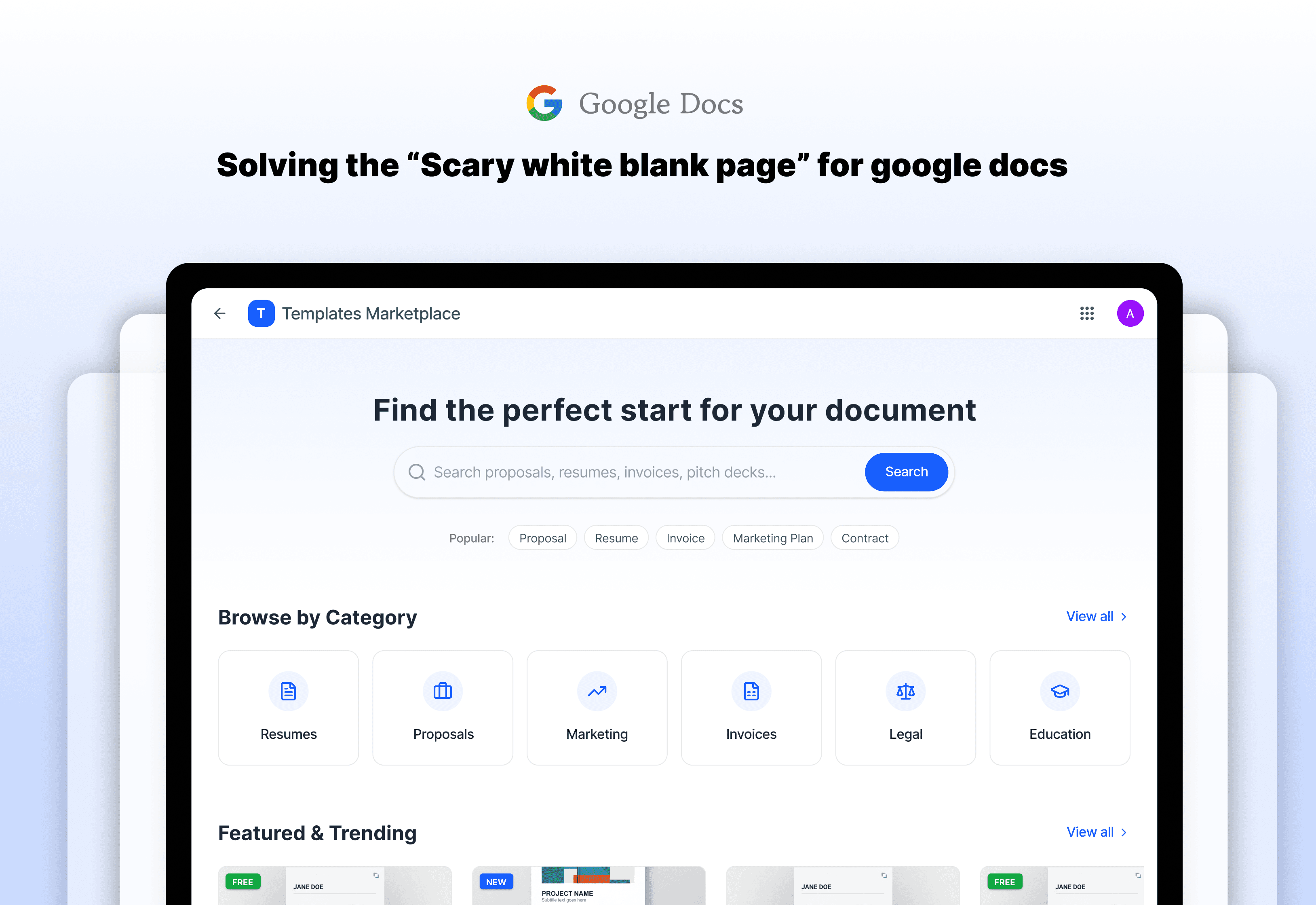
How a dedicated Google Docs marketplace turns hours of formatting into seconds of productivity. Helping everyday people create expert-level documents without the design headache.
Problem
Meet Sarah. Sarah is a brilliant marketing consultant, but she isn’t good at designing professional and organised documents. She has a huge client meeting in an hour and needs to create a project proposal.
The Struggle: She opens a new Google Doc and stares at the blinking cursor. She spends the next 45 minutes fighting with margins, choosing fonts, and trying to make it look “professional.” By the time she’s done, she’s exhausted, and she hasn’t even written her proposal yet.
The Research: I’ve interviewed few people like Sarah. I found that 70% of users feel “stuck” when they see a blank page. They need a ready-made template, but the current way to do it is broken. Usually, you buy a file on a random website, get a confusing link in an email, and then have to manually copy it into your Google Drive.
The Big Problem: The path from “I need a document” to “I am typing in a professional layout” is too long, and too frustrating.
User Research Insights
From my surveys, I learned two big things:
Trust is everything: People won’t buy a template if they can’t see exactly what’s inside.
Make it easy: If it takes more than three clicks to get the document working, users are not going to take that up.
I sat down to map out journey that would make the people like sarah feel like a superhero. My design process focused on one thing : speed and professional.
Solution and Decision stories
Instant buy button
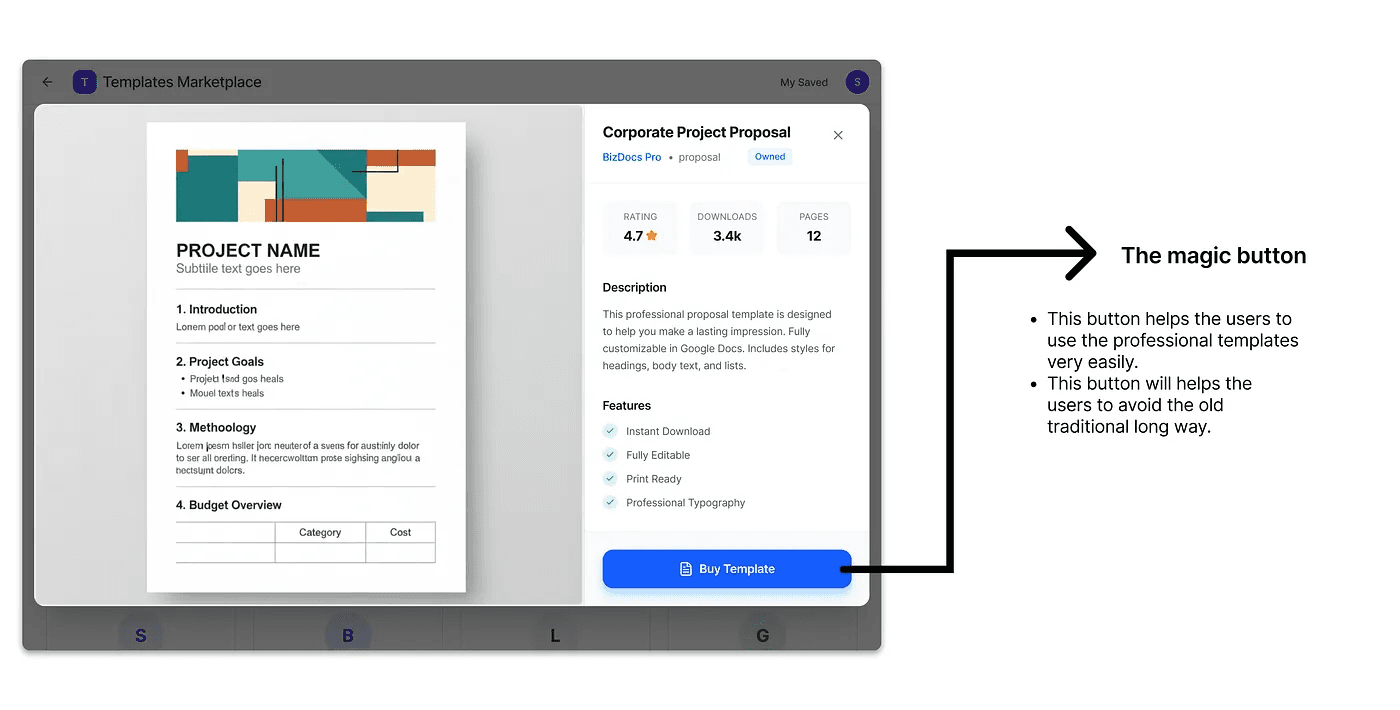
Decision story of instant buy
The Problem : There is a long to get the template and use. Go to some third-party marketplace > buy it > add to google drive > and open it in google docs. That’s a long way.
The Solution : Instead of that long way, I designed an “Use Template” button inside the google docs.
The Logic : I decided to connect the shop directly to the user’s Google account. This means the moment you click “Buy,” the document is already sitting in your Google Drive, ready to go. No downloads, no messy links.
The X-ray Preview
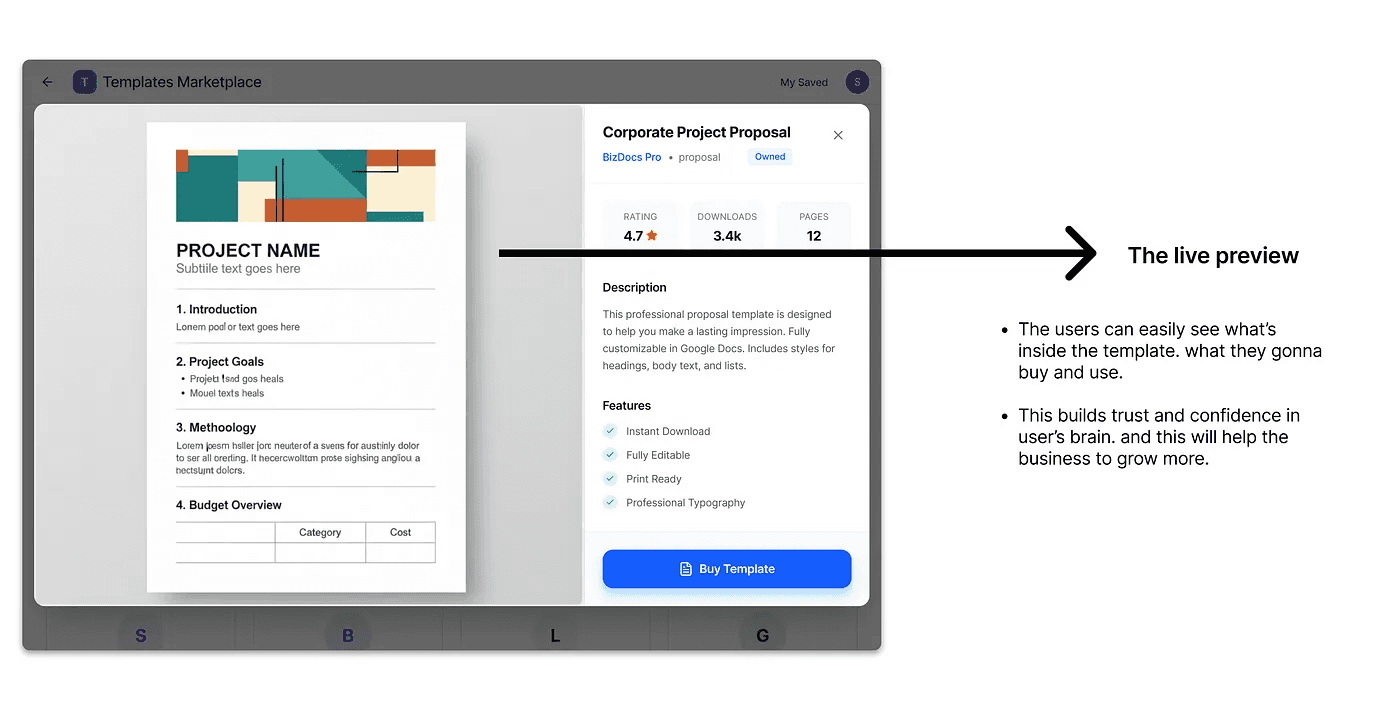
Decision story of X-ray Preview
For users like Sarah, the “Blank Page” is no longer a villain. She now finds a beautiful proposal template, clicks one button, and starts writing immediately. She saves over 3 hours of work every week.
The 60 seconds shop for sellers
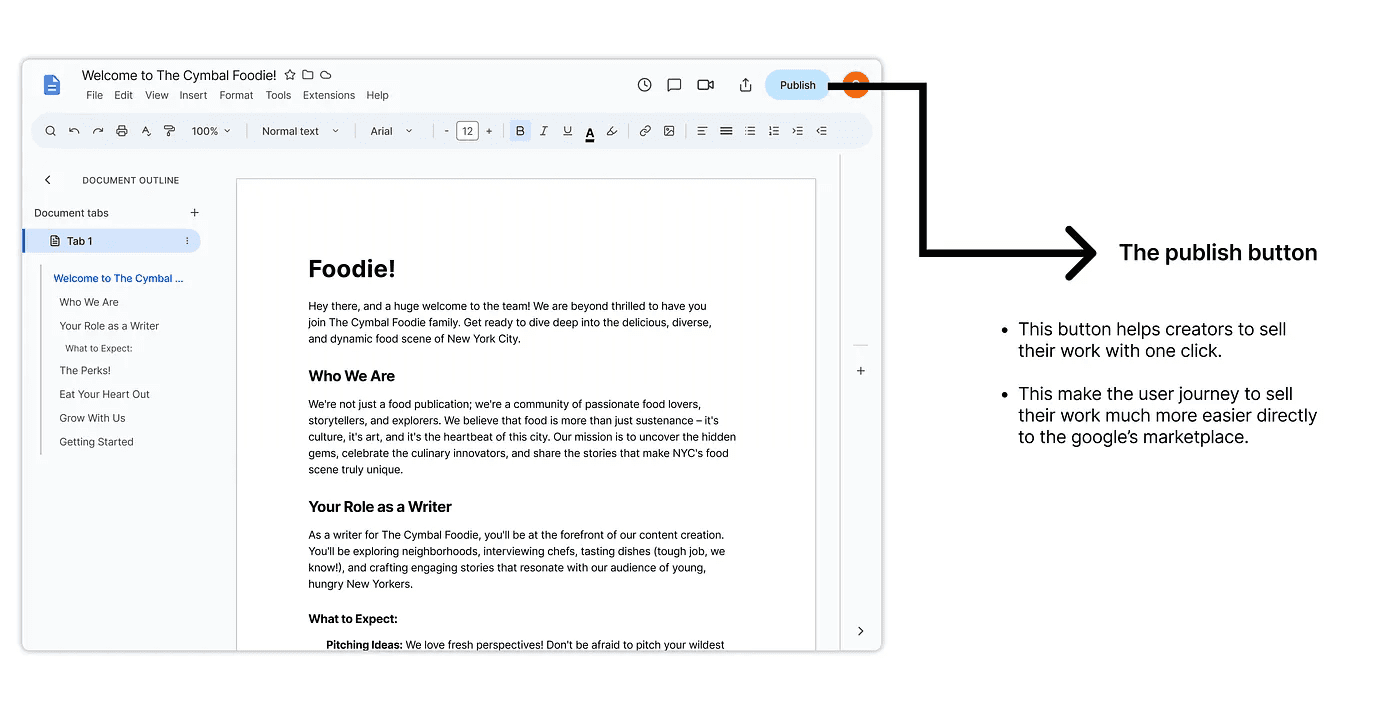
Decision story of 60 seconds shop for sellers
The Problem : There is a long to get the template and use. Go to some third-party marketplace > buy it > add to google drive > and open it in google docs. That’s a long way.
The Solution : Instead of that long way, I designed an “Use Template” button inside the google docs.
The Logic : I decided to connect the shop directly to the user’s Google account. This means the moment you click “Buy,” the document is already sitting in your Google Drive, ready to go. No downloads, no messy links.
Impact of good night
Human impact
For users like Sarah, the “Blank Page” is no longer a villain. She now finds a beautiful proposal template, clicks one button, and starts writing immediately. She saves over 3 hours of work every week.
Business impact
For users like Sarah, the “Blank Page” is no longer a villain. She now finds a beautiful proposal template, clicks one button, and starts writing immediately. She saves over 3 hours of work every week.