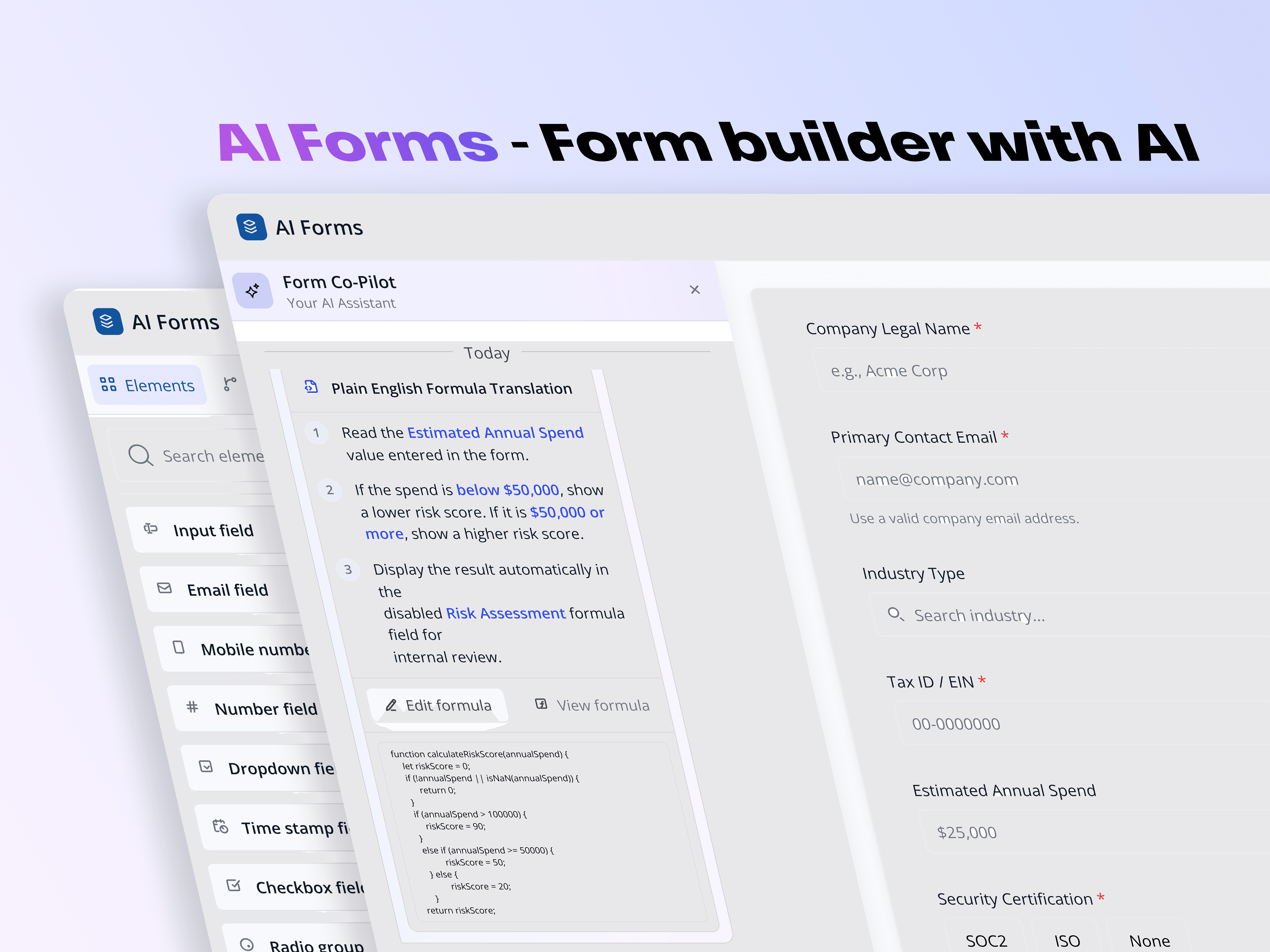
Solving B2B Form Complexity of javascript formulaB2B Form builder
Date
Feb 2026
Category
B2B Web App
Client
Non tech people
Role
UX/ UI Designer
Duration
2 months
Tools used
Figma, Figma make, Claude
Project Overview
GreenThumb is a cutting-edge mobile application designed to help gardening enthusiasts of all levels cultivate and maintain their gardens with ease. The project focused on developing an intuitive user interface, a powerful backend for garden management, and features to support and enhance users' gardening journeys.
Problem
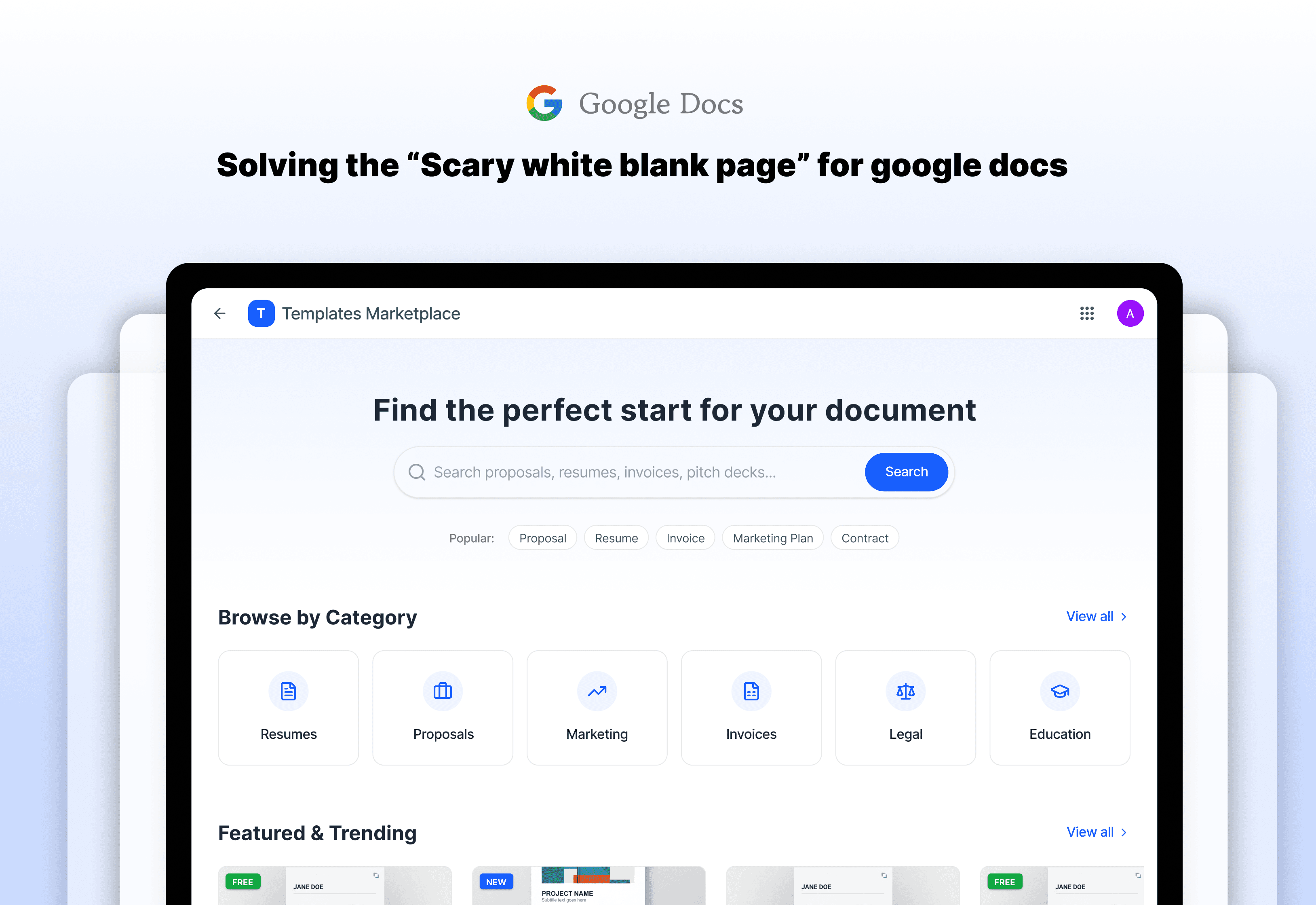
Meet Sarah. Sarah is a brilliant marketing consultant, but she isn’t good at designing professional and organised documents. She has a huge client meeting in an hour and needs to create a project proposal.
The Struggle: She opens a new Google Doc and stares at the blinking cursor. She spends the next 45 minutes fighting with margins, choosing fonts, and trying to make it look “professional.” By the time she’s done, she’s exhausted, and she hasn’t even written her proposal yet.
The Research: I’ve interviewed few people like Sarah. I found that 70% of users feel “stuck” when they see a blank page. They need a ready-made template, but the current way to do it is broken. Usually, you buy a file on a random website, get a confusing link in an email, and then have to manually copy it into your Google Drive.
The Big Problem: The path from “I need a document” to “I am typing in a professional layout” is too long, and too frustrating.
User Research Insights
From my surveys, I learned two big things:
Trust is everything: People won’t buy a template if they can’t see exactly what’s inside.
Make it easy: If it takes more than three clicks to get the document working, users are not going to take that up.
I sat down to map out journey that would make the people like sarah feel like a superhero. My design process focused on one thing : speed and professional.
Solution and Decision stories
Instant buy button
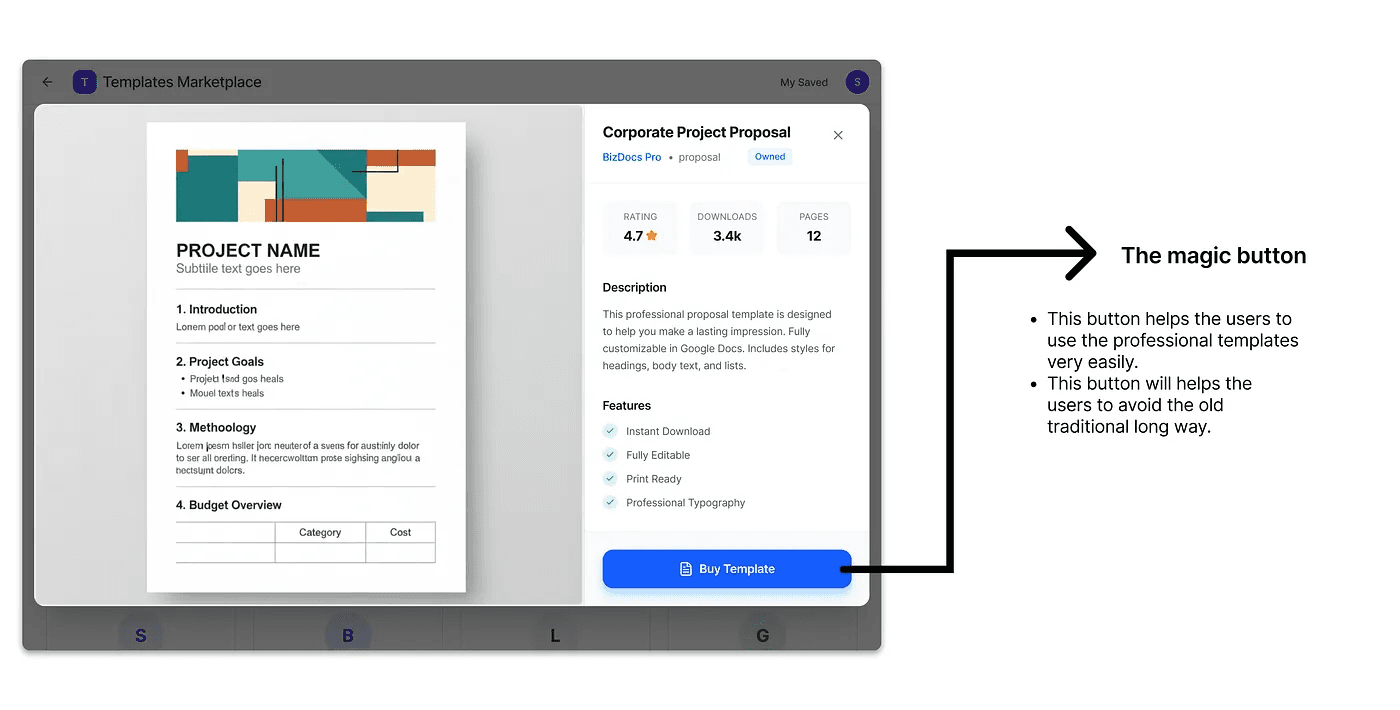
Decision story of instant buy
The Problem : There is a long to get the template and use. Go to some third-party marketplace > buy it > add to google drive > and open it in google docs. That’s a long way.
The Solution : Instead of that long way, I designed an “Use Template” button inside the google docs.
The Logic : I decided to connect the shop directly to the user’s Google account. This means the moment you click “Buy,” the document is already sitting in your Google Drive, ready to go. No downloads, no messy links.
The X-ray Preview
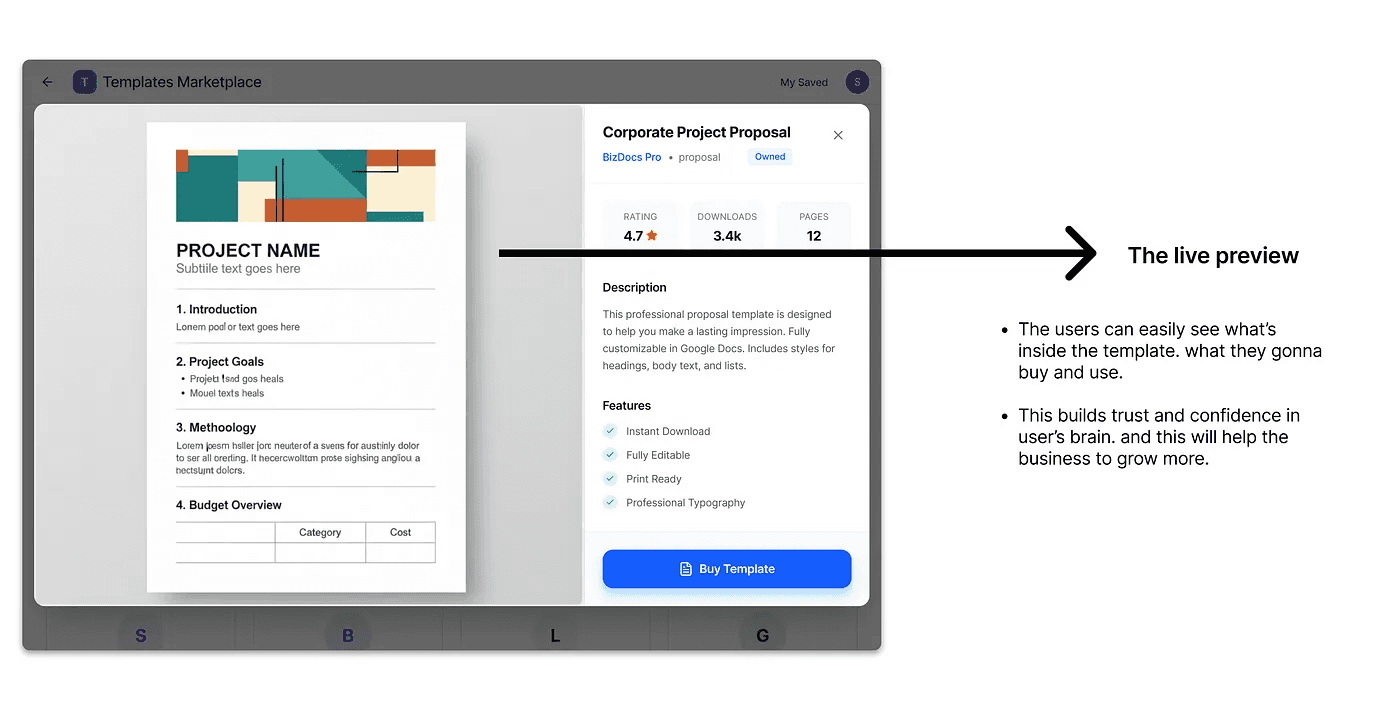
Decision story of X-ray Preview
Extensive Plant Database: Created a comprehensive database featuring detailed information on a wide variety of plants, including care tips, growth conditions, and seasonal advice.
Personalized Gardening Plans: Implemented customizable gardening plans tailored to users' specific garden conditions, including soil type, climate, and plant preferences.
Interactive Gardening Tools: Integrated tools such as planting calendars, watering reminders, and growth tracking to support users in maintaining their gardens effectively.
Progress Tracking: Enabled users to monitor their garden’s progress and growth through visual metrics and historical data.
Plant Care Reminders: Provided automated notifications for essential plant care tasks, such as watering, fertilizing, and pruning.
User-Friendly Design: Designed an intuitive and visually appealing interface to ensure a seamless and enjoyable user experience.
Mobile Optimization: Ensured the app is fully responsive and optimized for mobile devices, allowing users to manage their gardens anytime, anywhere.
Community Features: Added interactive elements like discussion forums, gardening tips, and photo sharing to foster a vibrant gardening community.
The 60 seconds shop for sellers
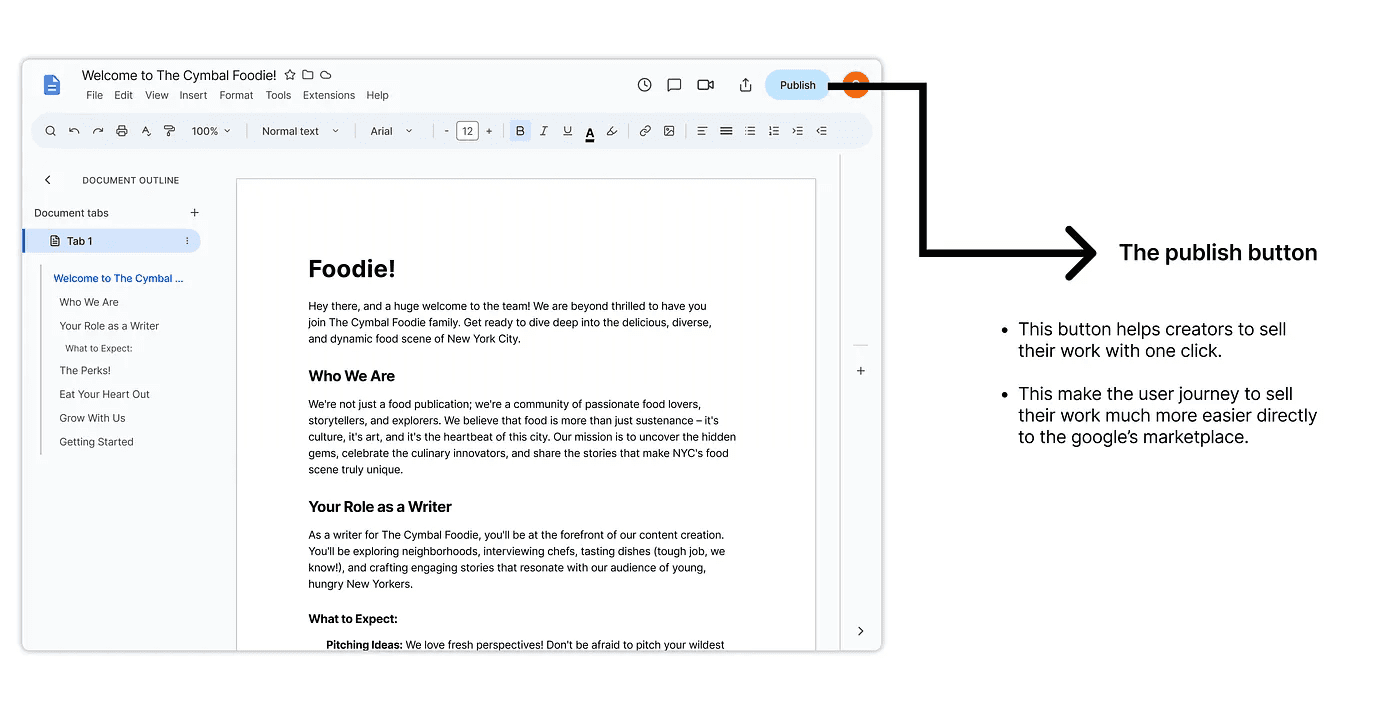
Decision story of 60 seconds shop for sellers
The Problem : There is a long to get the template and use. Go to some third-party marketplace > buy it > add to google drive > and open it in google docs. That’s a long way.
The Solution : Instead of that long way, I designed an “Use Template” button inside the google docs.
The Logic : I decided to connect the shop directly to the user’s Google account. This means the moment you click “Buy,” the document is already sitting in your Google Drive, ready to go. No downloads, no messy links.
Impact of good night
Human impact
Extensive Plant Database: Created a comprehensive database featuring detailed information on a wide variety of plants, including care tips, growth conditions, and seasonal advice.
Personalized Gardening Plans: Implemented customizable gardening plans tailored to users' specific garden conditions, including soil type, climate, and plant preferences.
Interactive Gardening Tools: Integrated tools such as planting calendars, watering reminders, and growth tracking to support users in maintaining their gardens effectively.
Progress Tracking: Enabled users to monitor their garden’s progress and growth through visual metrics and historical data.
Plant Care Reminders: Provided automated notifications for essential plant care tasks, such as watering, fertilizing, and pruning.
User-Friendly Design: Designed an intuitive and visually appealing interface to ensure a seamless and enjoyable user experience.
Mobile Optimization: Ensured the app is fully responsive and optimized for mobile devices, allowing users to manage their gardens anytime, anywhere.
Community Features: Added interactive elements like discussion forums, gardening tips, and photo sharing to foster a vibrant gardening community.
Business impact
Extensive Plant Database: Created a comprehensive database featuring detailed information on a wide variety of plants, including care tips, growth conditions, and seasonal advice.
Personalized Gardening Plans: Implemented customizable gardening plans tailored to users' specific garden conditions, including soil type, climate, and plant preferences.
Interactive Gardening Tools: Integrated tools such as planting calendars, watering reminders, and growth tracking to support users in maintaining their gardens effectively.
Progress Tracking: Enabled users to monitor their garden’s progress and growth through visual metrics and historical data.
Plant Care Reminders: Provided automated notifications for essential plant care tasks, such as watering, fertilizing, and pruning.
User-Friendly Design: Designed an intuitive and visually appealing interface to ensure a seamless and enjoyable user experience.
Mobile Optimization: Ensured the app is fully responsive and optimized for mobile devices, allowing users to manage their gardens anytime, anywhere.
Community Features: Added interactive elements like discussion forums, gardening tips, and photo sharing to foster a vibrant gardening community.